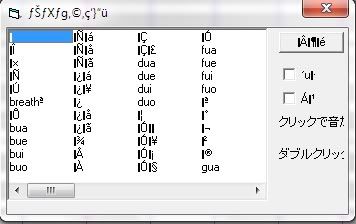
1.UTAU program. You can download it here (better to put it on English. Read first, Tutorial How to put UTAU in English).
2.Some voice banks. If you don't have your own yet, you can choose and download here.
3. Make sure your UTAU program has seveal tools called wavtool.exe and resampler.exe. Don't worry, usually, they are already in one package with UTAU. Just make sure they saved in the same folder.
Tutorial:
1. Open your UTAU progam.
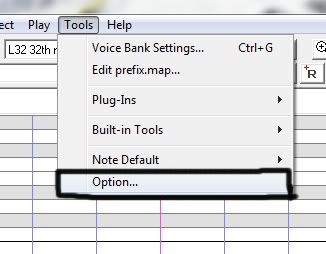
2. First, go to the menubar, Tools > Option.
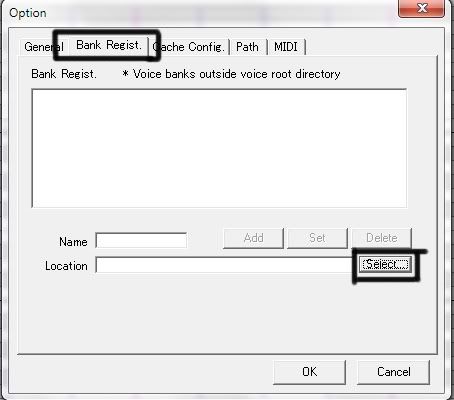
3. Click, Bank Regist > Select.
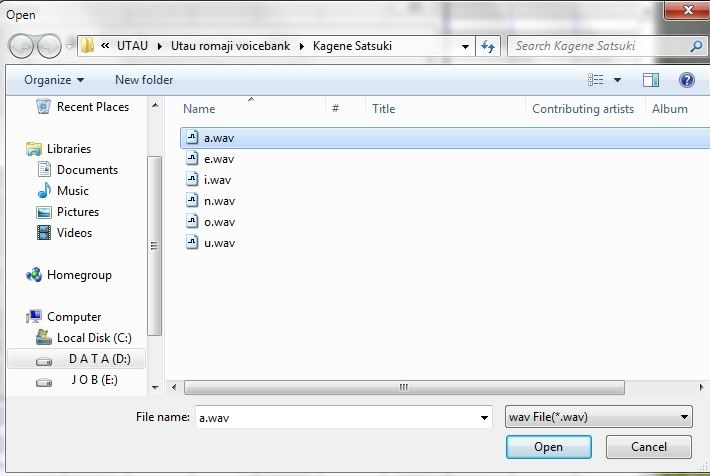
4. Choose your UTAUloids voice bank from your computer file. You can download it as I've said before. There are some files: a.wav, e. wav, i.wav, etc.. You can choose whichever. Click > Open.
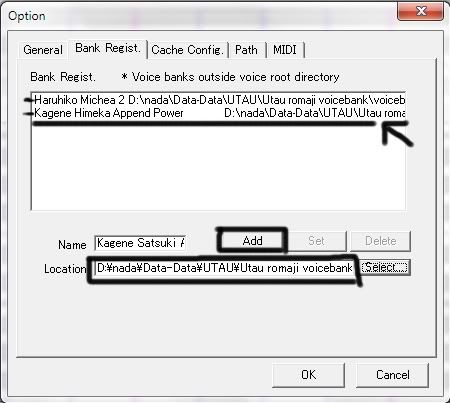
5. Select the voice bank, don't forget to click 'ADD' to Add your file before clicking OK button (Look at the picture). Not just one, you can add several voicebanks, like this pic:
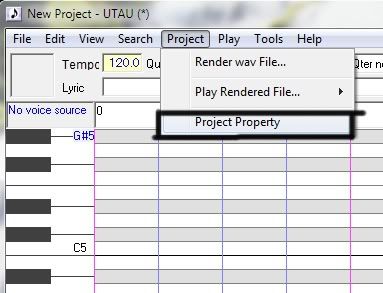
6. You can't make the utau sing before you choose wich voicebank that you've inserted. Look at menubar, click Project > Project Property.
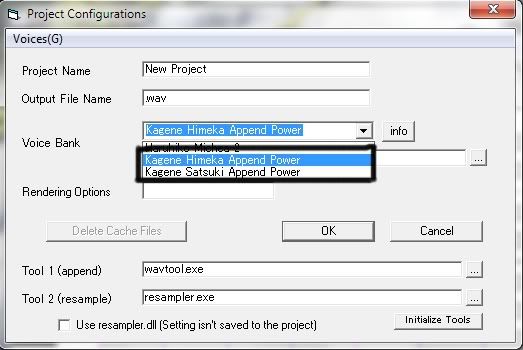
7. Choose your voicebank. Then OK.
8. If the top left box has filled with the utau's picture, now you can make your utau sing. But not all Voicebanks has a picture. To check her/his sound, right click wherever on the board, then click 'Sound List'.
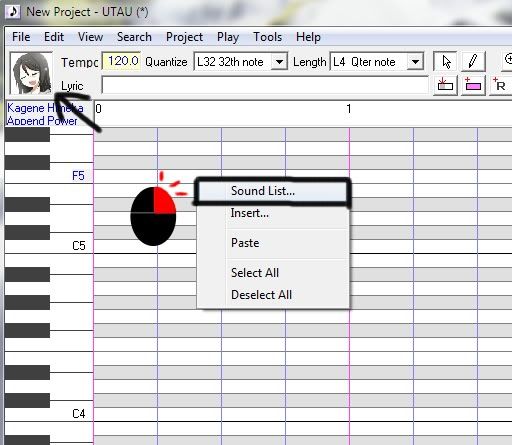
9. Click whichever file and hear the sounds like, 'a', 'bi', 'ou', etc. And make sure you've turn on your speaker, lol. Good luck!